Showing posts with label ProgramsForComputer. Show all posts
Showing posts with label ProgramsForComputer. Show all posts
Connectify 8 Crack for Hotspot and Dispatch

In previous post we already installed Connectify 7.3.3 and activateed Pro version for free. And in this post i'll give you crack of Connectify version 8, for now its the last version of Connectify. So just do next.
1. Download this RAR archive.
2. Now open it and you can find installation file of Connecitfy, install it. Or you can download it from its official website.
3. Now in that archive file you can find crack file, just open it. After you open it, you need to press on Activate PRO button and wait until message box comes up. Press on OK button and close it.
4. After that run as administrator BLOCKHosts.bat file.
5. Now restart your machine.
And after that you can open Connectify and see the results. You already activated Pro version for free.
Internet Download Manager crack for all versions

In previous post we talked about Internet Download Manager ( IDM ), what is that and how its works. And as you know its not free program, you need to purchase it, but and in last post i give you crack of IDM but for 6.17 version. But as you know programs updating time to time. Come new features, new settings. And for new version old crack of program is not working. So in this post i'm gonna give you crack of IDM for all versions ( universal crack ).
1. Download Internet Download Manager trial version from its official website and install on your computer.
2. Now download crack from here. And make sure you close all IDM active programs ( exit IDM before cracking it ).
3. Now open that archive file you just downloaded and you can see 3 files. Move IDMGrHlp.exe and IDMan.exe files into the C:\Program Files\Internet Download Manager location ( or if you change IDM installation folder at installing time then choose that folder ). And in warn window press on the Copy and Replace button.
4. After that open last file in archive, Activate.reg file. And in new opened small warn window press on the Yes button and after that press on OK button.
Now you can open Internet Download Manager program and from Help menu choose About IDM line and you can see that you have already activated that software.
PirateBrowser to get around web censorship

I hope that you know about ThePirateBay. Access to The Pirate Bay blocked completely in some regions of the world. The Pirate Bay on its 10th anniversary has released own web browser to remove censorship from the equation completely. Which called PirateBrowser, and is actually a bundle of software that includes the Firefox portable browser complete with foxyproxy add-on and Tor client Vidalia. It does not allow you to surf the Internet anonymously. The browser is released to enable to surf more freely, only that. Its portable version of Firefox, PirateBrowser is downloaded and extracted to a folder. You just click on PirateBrowser.exe and the browser will start and connect to the Tor network automatically. And after that browser opened, you can get around web censorship. A future web browser package will take advantage of Bittorrent to allow you to store and distribute The Pirate Bay yourself. At the same time, PirateBrowser is actively in development, with Mac and Linux versions expected to appear alongside the Windows executable.
What is Tor Browser and How to use it

I think that you listen about Tor browser, that you can browser web anonymously, yeah we speak about how to surf web anonymously but in this post we speak about new way to surf web anonymous, more exactly with Tor browser. So first of all we need to know little important information about Tor browser.
Everything you do online can be traced back to your IP address. Even if you’re accessing encrypted websites, networks can see the websites you’re accessing – and the websites themselves know your IP address. Use the Tor network to browse with anonymity. Tor is an encrypted network that can route your traffic through relays, making the traffic appear to come from exit nodes. Unlike with proxies, the exit node itself doesn’t know your IP address or where you are.
When you use a Tor client, your Internet traffic is routed through Tor’s network. The traffic travels through several randomly selected relays (run by volunteers), before exiting the Tor network and arriving at your destination. This prevents your Internet service provider and people monitoring your local network from viewing the websites you access. It also prevents the websites themselves from knowing your physical location or IP address – they’ll see the IP address and location of the exit node instead. Even the relays don’t know who requested the traffic they’re passing along. All traffic within the Tor network is encrypted.

How Download and use Tor BrowserThe Tor Project recommends the Tor Browser Bundle as the safest, easiest way to use Tor. The Tor Browser Bundle is a customized, portable version of Firefox that comes preconfigured with the ideal settings and extensions for TOr. You can use Tor with other browsers and browser configurations, but this is likely to be unsafe. For example, Flash and other browser plug-ins can reveal your IP address – the Tor Browser Bundle disables plug-ins for you and provides a safe environment, so you don’t have to worry about your browser settings. It also includes the EFF’s HTTPS Everywhere extension, which enables HTTPS on websites with HTTPS support. HTTPS provides encryption between the exit node and destination website. Tor recommends that you not download document files, such as DOC and PDF files, and open them in external applications. The external application can connect to the Internet to download additional resources, exposing your IP address.
After downloading the Tor Browser Bundle, double-click the downloaded EXE file and extract it to your hard drive. The Tor Browser Bundle requires no installation, so you can extract it to a USB stick and run it from there. Launch the Start Tor Browser.exe file in the Tor Browser folder. The EXE file will launch Vidalia, which connects to the Tor network. After connecting, Vidalia will automatically open Tor’s customized Firefox browser. Vidalia automatically launches the Tor Browser once it connects. When you close the browser, Vidalia automatically disconnects from Tor and closes. Vidalia creates a local proxy on your system. The Tor Browser Bundle is configured to route all your traffic through it by default, as we can see here in the Tor Browser’s connection settings window. You can configure other programs to access Tor through the proxy, but they may reveal your IP address in other ways.
Remember not to provide any personal information – say, by logging into an account associated with you – while using the Tor browser, or you’ll lose the anonymity.
The easy way to Recover deleted or lost files from computer

In this post we talk about how recover deleted or lost files from computer. We alreadt talked about this in previous post, exactly about recuva program. And i give you for free activation keys of recuva Pro version. Yes recuva is a very good program for file restoring. But there are more fast way to recover files in computer. Very useful thing, and everyone should know about this program and must have it.
That program have an easy interface, and everyone can use it. We give you download link of that file, with patch. Download button at bottom of this post. Download that archive, and install program. You can see patch file, move into that program folder, and use Pro version of program. You have all permissions.
How to install WhatsApp on Windows Or Mac

I'm sure that you know about WhatsApp, and maybe. So in this post we talk about WhatsApp, exactly how to install on your computer, which working with Windows and Mac.
1. In previous post we talked about how to install Android on computer. And Now we need to install it again on our PC. Instruction that post.
2. Now open that program and after that search for the application WhatsApp.
3. After you already have installed WhatsApp, open it and in new opened window press on the Agree and continue button.
4. Next steps is to integrate and verify your mobile number. At this step, specify correct country code and mobile number then click on OK.
5. Message verification will fail because our machine is not holding that sim card. So you have to wait for 5 minutes.
6. After that we will have requested to verify by call. Just click on Call me. Attend that call and enter verification code into text field.
7. Done, Now you have verified WhatsApp for your number, Setup your username and click on Next.
The main issue with this is you cannot import contacts. So what you have to do is to ask your friend to send message to your registered number through WhatsApp . You will get his message on WhatsApp and then save that contact.
That's it, now you have installed WhatsApp on your computer.
Recuva Pro version activation license keys

In previous post we talked about Recuva program, which restore deleted files in computer, which deleted and from Recycle Bin. You can restore files in USB flash and in MicroSD. This is a very important program and very useful. So this program have Pro version, which have more functions. In this post we activate the latest version of Recuva Pro for free. Do next steps.
1. We give you download link in this post, visit and download that.
2. Now very important part. Turn off your internet connection.
3. Launch Recuva and go to Options > About and Click Upgrade to PRO button.
4. Enter your name and choose any serial key given below.
RK98-JXU8-43FB-UGQZ-444C
RK98-Q4JY-BS5M-9KKH-A44C
RK98-WDJB-GVHR-4CSM-C44C
RK98-38RQ-DWHR-QAYE-Y44C
RK98-WEVR-UKDG-F9TR-G44C
RK98-VZPF-NJ64-Y43C-K44C
RK98-58SB-XAVK-GN74-I44C
Now your done!
CCleaner Pro version activation license keys

In previous post we talked about CCleaner program, which clean computer from junk files. This is a very important program and very useful. So this program have Pro version, which have more functions. In this post we activate the latest version of CCleaner Pro for free. Do next steps.
1. We already have given you download link in this post, visit and download it.
2. Now very important part. Turn off your internet connection.
3. Launch CCleaner and go to Options > About and Click Upgrade to PRO button.
4. Enter your name and choose any serial key given below.
C2YW-IAHG-ZU62-INZQ-WZPC
C2YW-2BAM-ADC2-89RV-YZPC
C2YW-XFCX-ABIG-GZD4-8ZPC
C2YW-XK32-GBVV-N3BH-2ZPC
C2YW-JKW5-KK79-XHR2-4ZPC
C2YW-QTRT-ZVCG-PQDK-CZPC
C2YW-GP33-TPIU-BGM8-AZPC
Now your done!
Malware Bytes 2014 Pro Serial Keys

So in this post we talk about Malware Bytes anti-malware. This is the best antivirus which find all malware viruses on your computer, which can't done by other antiviruses. And especially if you use Pro version then your computer is more safe from malware viruses.
First of all downlaod Malware Bytes from his official website. Choose Free version and after that install on your computer and activate with next license keys listed below.
Product ID: 4CR59 Serial key: XACJ-HK4N-N7BQ-HHK6
Product ID: 9NX32 Serial key: 74DH-B15G-RWAX-B4EN
Product ID: 9SA31 Serial key: 07EC-Y5H3-M4L0-D93X
Product ID: 1WJ96 Serial key: HV3G-9MLE-9JTF-LUB5
Product ID: 6AX85 Serial key: JYDD-4U2X-VWNP-M65N
Product ID: 9FG23 Serial key: R35H-8DVV-YKMY-Y0E7
Product ID: 6ST37 Serial key: CEB3-G7Y3-2VE8-VQ81
Product ID: 1FL33 Serial key: WQWT-R6KN-XC26-N4VP
Product ID: 2GV94 Serial key: JQ3N-MBKT-01DA-LLG5
Product ID: 2NH14 Serial key: MX6B-5MWT-HCC7-73J0
Product ID: 6VA33 Serial key: 2CUN-J2XW-NEN6-6DT2
Install Flash Player on Kali Linux

In previous post we learn how to install Firefox browser on Kali Linux. And in this post we learn how to install flash player on BackTrack and Kali ( for example to play video on YouTube you need a flash player ).
1. From Kali Linux go to this link. Now from down of left side you need to choose format of file you want to download. Choose .tar .gz for other Linux and press on Download now button. Save file at Home directory.
2. Now open terminal and type ls and hit enter.
3. You can see that file name you just downloaded, copy that file name, and type in terminal tar xzvf install_flash_player_11_linux.i386.tar.gz and again hit enter ( install_flash_player_11_linux.i386.tar.gz is that file name we downloaded ).
4. And at last type in terminal.
cp libflashplayer.so /usr/lib/mozilla/plugins
and hit enter.
OK now you can open browser and for example open one video on YouTube and see the result, you already have installed flash player on Kali Linux or on BackTrack.
Install Firefox in Kali Linux

This last time i write a lot of new posts about Kali Linux, how to install it, how to use, some tricks, and for future i prepare amazing posts.
So in this post i will show you how to install Mozilla Firefox browser on Kali Linux. As you know the default browser of Kali is iceweasel browser, which was the same Firefox, but still we prefer Firefox.
1. Turn on Kali Linux and open terminal. First of all we need to install gedit text editor, type on terminal apt-get install gedit and hit enter.
2. Now type in apt-get remove iceweasel and hit enter, after this type gedit /etc/apt/sources.list and again hit enter.
3. OK now you can see new opened text document with gedit text editor, now go to very end and add next text.
##Firefox
deb http://downloads.sourceforge.net/project/ubuntuzilla/mozilla/apt all main
press on Save button at top of text editor and close it.
4. Now type on terminal.
apt-key adv --recv-keys --keyserver keyserver.ubuntu.com C1289A29
and hit enter.
5. Now type apt-get update hit enter again, and now at last type apt-get install firefox-mozilla-build and hit enter.
After its finished, from Application menu choose Internet and you can see Mozilla Firefox browser.
Connectify 7.3.3 Pro activator

In previous post we talked about how to create Wi-Fi connection without WiFi router. So we do that with special program which called connectify. So and i have posted one method too without any software. Now in this post i give you activator for Connectify program which upgrade program to Pro version and you can have all permissions.
This working with 7.3.3 and below. Activator for new version of software coming soon.
1. Download this RAR archive and open it. Now you can see installer of Connectify, install it on your computer ( do not download installer from Connectify website, because you download the latest version of software, and this crack is not working for new version ).
2. Now if it asks for update just ignore it, do not update!
3. Make sure you close all Connectify programs, and dispatch and hotspot.
4. From that archive file you downloaded in step 1, move Licensing.dll and ConnectifyGopher.exe files into the Connectify folder, usually its C:\Program Files (x86)\Connectify or C:\Program Files\Connectify. And if it asks for replacing then replace it, press on Copy and Replace button.
5. After this all restart your computer.
And after its restarted you can see the result! You have a Pro version of Connectify.
Microsoft Office 2013 Professional Plus installation and activation process

I'm sure that you know about Microsoft office and use it. It was a very important thing to have it. So and as you know last version of office is Office 2013. And is not for free in real, you need to pay. So in this post i'm gonna give you Microsoft Office 2013 Professional Plus and 32 bit and 64 bit, and show how to activate it for free.
1. First of all you need to download office and install it. Download office from here. Its a torrent file, you need to download it with any torrent client program. After download finished, open RAR archive and execute installation file. After you have successfully installed Office on your computer, you need to activate it.
2. So download this activator. You can see it was the same activator of Windows 8.1.
After you downloaded that activator, extract it and open file as administrator. Now you need to do to press on Office logo bottom of right side.
3. After that go to Activation label and choose AutoKMS and press on install button. After that from right side you can see EZ-Activator, press on that. And you need to wait some time, and after you see that activation successfully complete you can close it and now you can use Microsoft Office 2013 Professional Plus for free! Your Done.
Internet download manager 6.17 Crack

I hope that you heard about Internet Download Manager. And only good words about this program. And today i'm gonna told you some things about this program and show you how to activate it for free. So with this program you can download files from internet more and more fast. As you know uTorrent program, its very good program to download torrent files. And in last post we talk how to increase download speed of utorrent. But with Internet Download Manger you can download more fast, so you can download videos from internet. It able you to download files from internet very fast between slow with browsers. So i know you really like it and want to try. This program is not for free. But that's not a problem, we show you in this post how to activate it for free.
1. Download this RAR archive file.
2. Open that file and install Internet Download Manager on your computer, idman618build7f.exe file. After installation process finished, you need to close program from notification area.


4. Now open next file, IDMGrHlp_patch.exe as administrator. And in new opened window press on the Patch button.


But maybe in some computers it doesn't work, so there are another way.
1. Go to the directory C:\windows\system32\drivers\etc and right click on hosts file, choose open and from list choose text document. And after you opened it, you need to add these lines to that hosts file.
127.0.0.1 tonec.com
127.0.0.1 registeridm.com
127.0.0.1 secure.registeridm.com
127.0.0.1 secure.internetdownloadmanager.com
127.0.0.1 internetdownloadmanager.com
127.0.0.1 star.tonec.com
127.0.0.1 mirror.tonec.com
127.0.0.1 mirror.internetdownloadmanager.com
127.0.0.1 mirror2.tonec.com
127.0.0.1 mirror2.internetdownloadmanager.com
127.0.0.1 mirror3.tonec.com
127.0.0.1 mirror3.internetdownloadmanager.com
127.0.0.1 www.tonec.com
127.0.0.1 www.registeridm.com
127.0.0.1 www.secure.registeridm.com
127.0.0.1 www.secure.internetdownloadmanager.com
127.0.0.1 www.internetdownloadmanager.com
127.0.0.1 www.star.tonec.com
127.0.0.1 www.mirror.tonec.com
127.0.0.1 www.mirror.internetdownloadmanager.com
127.0.0.1 www.mirror2.tonec.com
127.0.0.1 www.mirror2.internetdownloadmanager.com
127.0.0.1 www.mirror3.tonec.com
127.0.0.1 www.mirror3.internetdownloadmanager.com

2. After this step you can install Internet Download Manger. And now open program, from Registration menu choose Registration line. and in new opened window Enter your name, mail address and use this key.
VKLJ1-9MKWB-YPEIH-1AEUO
After you do that you can see that program registered as your name, and all is working great.

And one thing you need to know, never update that program if it asks, press always on close button!
Switch from VirtualBox to VMware

VirtualBox is a virtual machine, that able you to install operating systems in virtual store, i mean you can have a lot of operating systems on your computer, but they really not installed on your computer, they just installed on that program. Your computer works with one OS but you have and other operating systems that you can open them whenever you want. And we already learned how to install BackTrack OS, Anonymous OS etc.
But i changed VirtualBox with new virtual machine which called VMware Workstation. Which is more comfortable to use and have a more settings. And that's not very good to make more comfortable your work wit that program. And for that in this post i'm gonna speak about new program, same this, but this one called as VMware. You can create your operating systems lab and make your work more easy. So its not for free but i will give you license keys for free. And you can use the last version of Workstation for forever.
5F2X0-8H3EQ-0ZYD0-928QP-9232Z
1F2K4-2N093-AZ888-GHC50-2AM3C
NA0RU-2YLE0-6ZMX9-HH35P-034L1
4F4V2-A038J-2ZF90-532QK-834LG
Top 10 Chrome extensions for Facebook

Even we can do many things on Facebook by using extensions for Google Chrome browser. Here is the list of Top extensions for Google Chrome to make your things fun on Facebook.
1) Change your Facebook color

Facebook won’t provide any option to change themes and colors in user’s profile. Using this extension you can and the color of Facebook to any color that you wish. After adding this extension to your Google chrome Browser Re-start your browser and click on the icon of the extension, from the options provided you can set any color that you wish. Add extension
2) Change your Facebook theme

3) Change background of Facebook

This is an yet another interesting extension available for Google chrome to change the background of the Facebook. You can select any image from the given pics as your Background image . Instead of having boring Dumb blue color you can add the Background images to make your profile look even better. Add extension
4) Block all Facebook ads

Ads on Facebook are always annoying. These days Facebook is concentrating on money than user’s satisfaction. We normally used to see many ads on the right side of the Facebook. Now by using this particular extension you can block those ads from appearing on your browser whenever you use Facebook. Add extension
5) FBsecure

We used to use lots of apps on Facebook and while using that all the apps will ask to grant permission to access our information, many of us used to blindly allow all the permissions for that app. Taking this as an advantage many apps used to post on our Facebook wall without our notice. Add extension
6) Chat Notifications for Facebook

By using this Google chrome extension you can notifications about your Facebook new chat messages even while you are browsing other websites on other tabs. This is quite interesting Google chrome extension for Facebook. Add extension
7) Facebook Disconnect

Have you ever noticed this, while you visit a website which contain Facebook like Box, Facebook will show your friends names who liked that page previously. Facebook stores our information and leaks it to other third party apps, Facebook tracks us. By using this extension, we can stop that tracking process done by Facebook. Add extension
8) Invite all friends from your Friends list
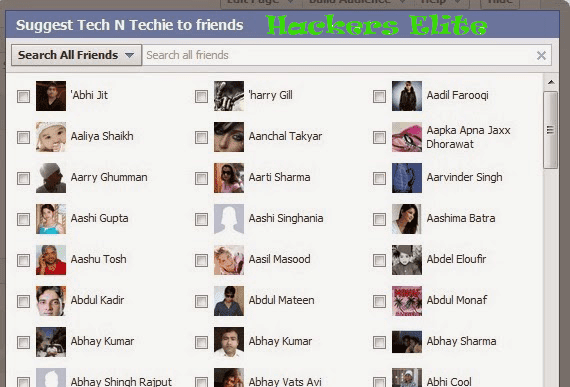
In case if you need to invite all of your friends for a Facebook event or if you wish to invite all your Facebook friends to like you page, it is difficult to select each one of them, to get rid of that difficulty we can use to Google chrome extension and invite all your friends in a easy way. Add extension
9) Facebook for Google Chrome

This is just an unofficial extension for Google chrome to access Facebook instantly. This extension is useful in many ways. Add extension
10) Facebook Image Zoomer

This is a very Interesting Facebook extension for Google chrome which enables you to zoom all the images when you just hover your mouse on the image on Facebook. Add extension
The best way to install Windows 8.1 on your computer

In previous post we talked about how to upgrade to Windows 8.1 from early versions. But upgrading is free only for Windows 8 Pro users. But if you have other version of Windows you need to pay for upgrading. But you still can install Windows 8.1 on your computer for free.
Download Windows 8.1 All versions x86
Download Windows 8.1 All versions x64
You need to download these files with torrent client.
How to increase utorrent download speed, read here.
How to make USB flash driver password protected

Its happens that you want to protect your USB flash drive files with password protection. For example you are a programmer, and you write a programs. One organisation want to buy your program. And they want to see program before they buy it. And maybe they lie you and steal your program. And for your security you need to set password to your USB flash drive.
For that there are very useful software. Just do next.
1. Download this software.
2. Now open that archive file and install usb-secure program.
3. When you open that file first of all you need to choose a language, and then you need to plug-in your USB flash drive to your computer.
4. And now choose your flash drive letter and press on the Next button.

6. Now again open that archive you downloaded in step 1 and open Crack folder. And now move that file to your USB flash drive.


8. Now you can use that program for free. Open it and type a new password of USB. When you open USB you see no files there, only that program. Open it, enter password and your files on USB will come back.
Comfortable speed dial for Google Chrome

If you are using Google Chrome then i know for you speed dials are very important thing. But in last version of Chrome, dials are not so comfortable for using. For that you can use special extensions for Chrome, which able you to configure style of dials as you want. But in this post i give you the best speed dial extensions for Chrome.
Speed DialThis is the simple extension. But that time with more tools.You can add this extension to your Chrome browser, and then you able to add your own dials, give them icons. You can change back color, or choose picture for back screen. There are a lot of settings, and this extension works very simple.
Download
iOS 7 Speed DialThis is a beautiful designed speed dial for Google Chrome. The design is coming from iOS 7. When you install this extension you can see that your browser converted to the iOS. And again you can add your dials as you want. And you can play iOS games on your browser.
Download
How to Upgrade to Windows 8.1 from earlier versions of Windows

Microsoft has released the final version of the Windows 8.1 operating system. And there are a ways to upgrade to Windows 8.1 from earlier versions of Windows.
Windows 8 Pro users can upgrade to Windows 8.1 free from Windows Store. If you have any problems with upgrading then visit there and you can find solution. If you are using Windows 7 or earlier version, then you can visit this page and website give you methods how you can upgrade it.
But only Windows 8 Pro users can upgrade to Windows 8.1 for free, for another versions its not free. You can download Windows 8.1 file from there and install on your computer manually ( its a trial version, 90 days ).
Subscribe to:
Posts
(
Atom
)